ByeBear

AI Trading Workspace

Your personal trading partner. ByeBear connects the AI tools you already have to the market — ask questions in plain language, get a morning briefing, practice in simulation, and when you're ready, build and run real strategies.

Free plan forever · no credit card needed

Join the Telegram Community

Get support, share feedback and help shape ByeBear.

See how it works

Works with the tools you already use

Claude Code Codex Gemini Interactive Brokers Alpaca

The story

Smart trading isn't just for professionals

Most algorithmic trading tools assume you already know how to write strategies. ByeBear is built differently: it walks with you from your first question about a stock, through safe practice on a simulated account, all the way to full strategies against a real broker — at your own pace.

New to the market?

Start in plain language, without risking a cent

No coding required, and no Wall Street jargon to decode. Open the app and simply talk to the market.

  • Ask anything in plain language — "Why did this stock drop today?" "What's going on in my portfolio?"
  • A daily morning briefing that explains what matters in the market, in plain terms
  • Practice on a simulated account with virtual money — learn without losing
  • Trading terms explained in place, in simple language
Trading for years?

A full workspace for real strategies

All the power of algorithmic trading — without building the infrastructure yourself, using the AI you already pay for.

  • Build strategies with AI and run backtests on real market data
  • Manage orders and positions against Interactive Brokers or Alpaca
  • Hard risk limits — daily loss caps, stops and force-flat times
  • Everything runs locally on your machine — credentials never leave it
Getting started

How ByeBear works

Connect your AI, start in simulation, research and test — and only you decide what actually runs.

01

Connect your AI

Bring your own AI — Claude Code, Codex or Gemini, on the account you already pay for.

02

Connect your trading setup

Link Interactive Brokers or Alpaca — or start in Simulation mode with no broker at all.

03

Ask, research & test

Ask questions about the market and your portfolio, explore ideas — and when you want to, build strategies and run backtests.

04

Stay in control

Nothing runs without your approval. Your accounts and credentials remain yours.

The AI in action

Not a chatbot. A reasoned second opinion

ByeBear doesn't just answer — it reads your live market, explains its reasoning, and points out what would invalidate the idea. Here are three real examples from inside the app.

AI Copilot

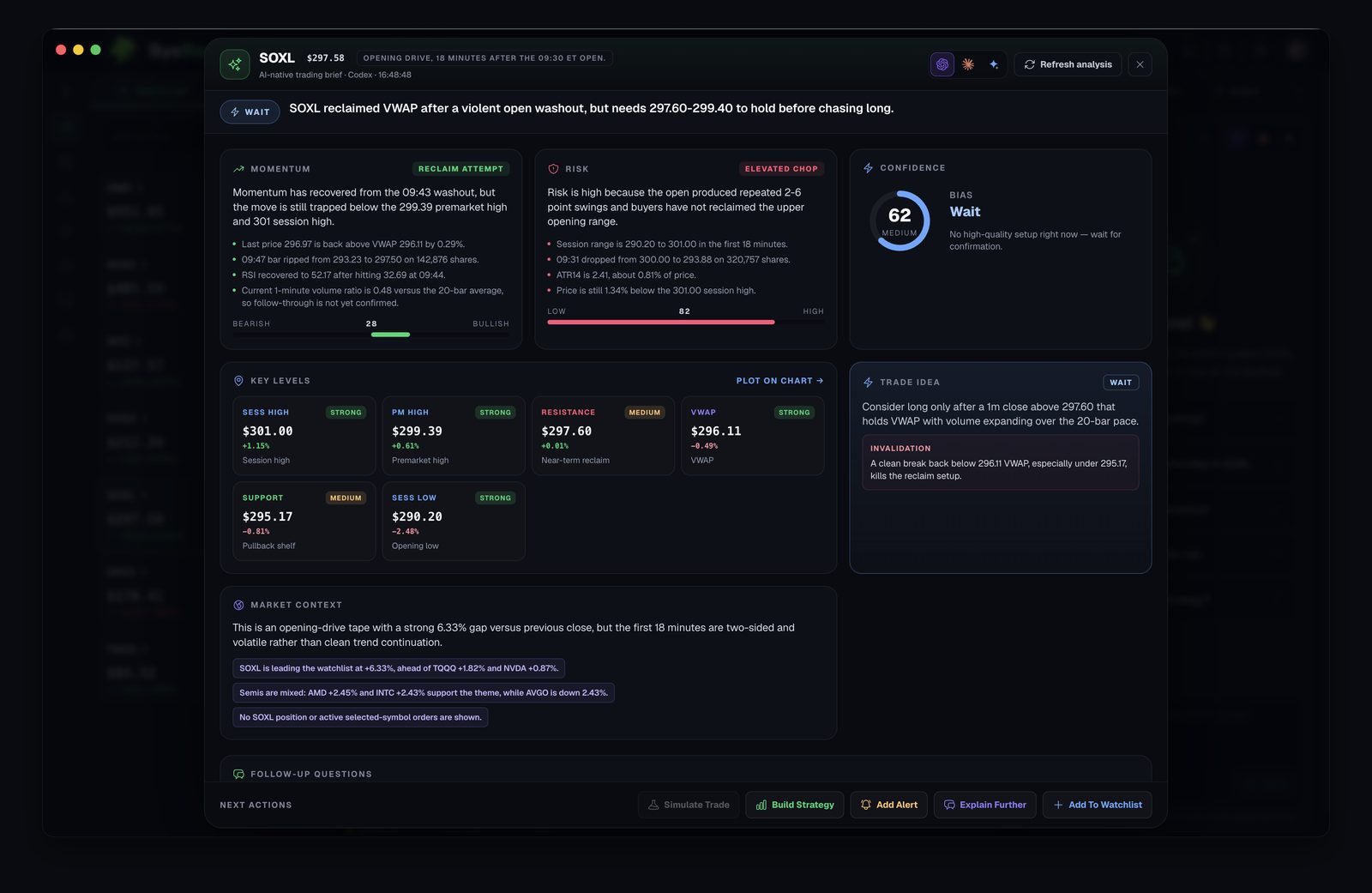
Ask about a stock, get a full read with a confidence score

Momentum, risk and confidence — alongside key levels, a trade idea and clear invalidation conditions. ByeBear tells you when not to enter, not just when to.

"SOXL reclaimed VWAP after a violent open washout, but needs 297.60–299.40 to hold before chasing long." — Verdict: Wait (confidence 62)

ByeBear AI trading brief for SOXL: momentum, risk, confidence, key levels and a trade idea with invalidation conditions
Strategy Studio

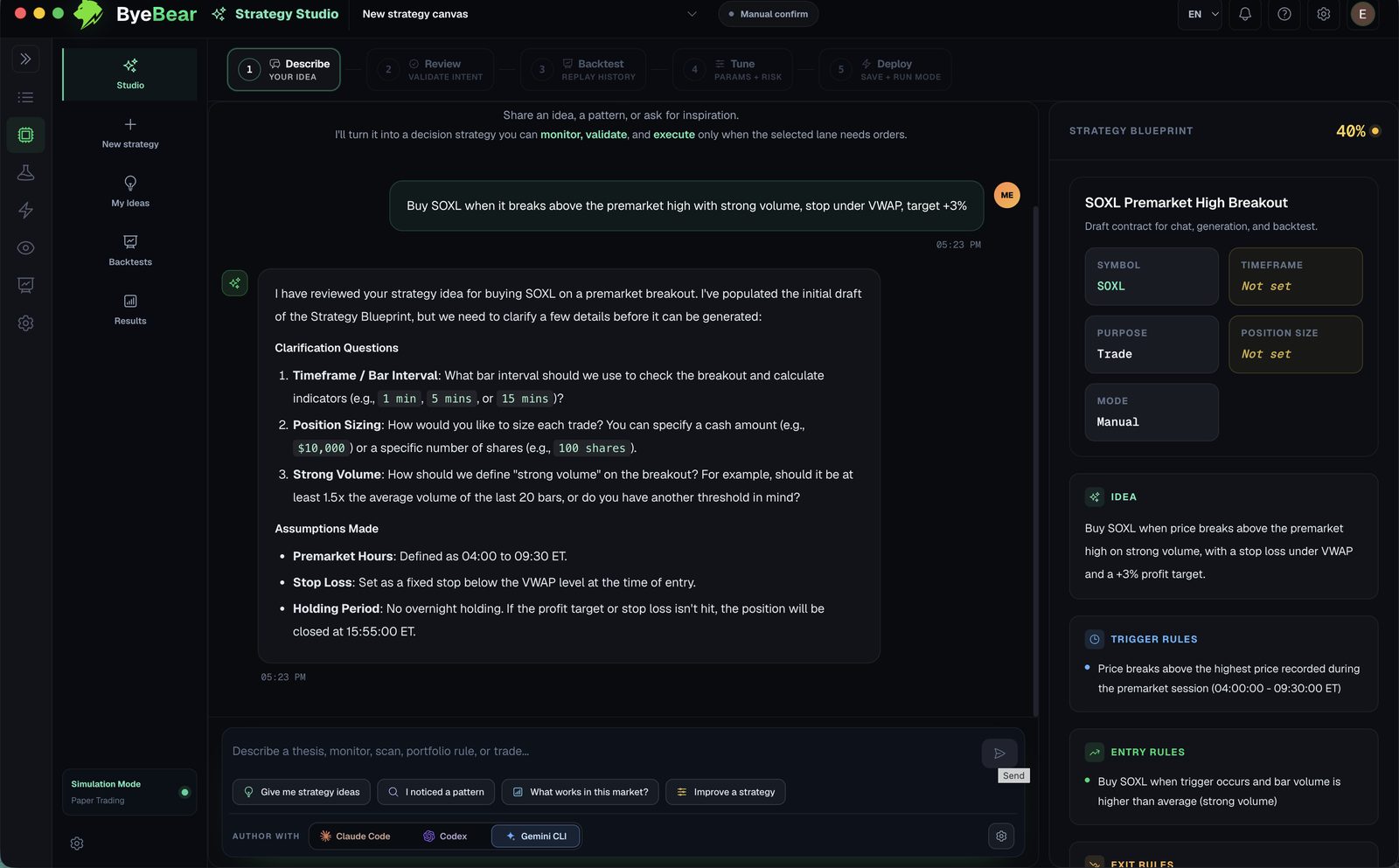
Describe a strategy in plain English — it asks the right questions back

Write an idea in your own words and the AI turns it into a structured strategy. It clarifies timeframe, position sizing and definitions before it builds — just like an experienced partner would.

You: "Buy SOXL when it breaks above the premarket high with strong volume, stop under VWAP, target +3%."

ByeBear Strategy Studio: a user describes a SOXL breakout strategy and the AI returns clarification questions, assumptions and a structured blueprint
Morning briefing

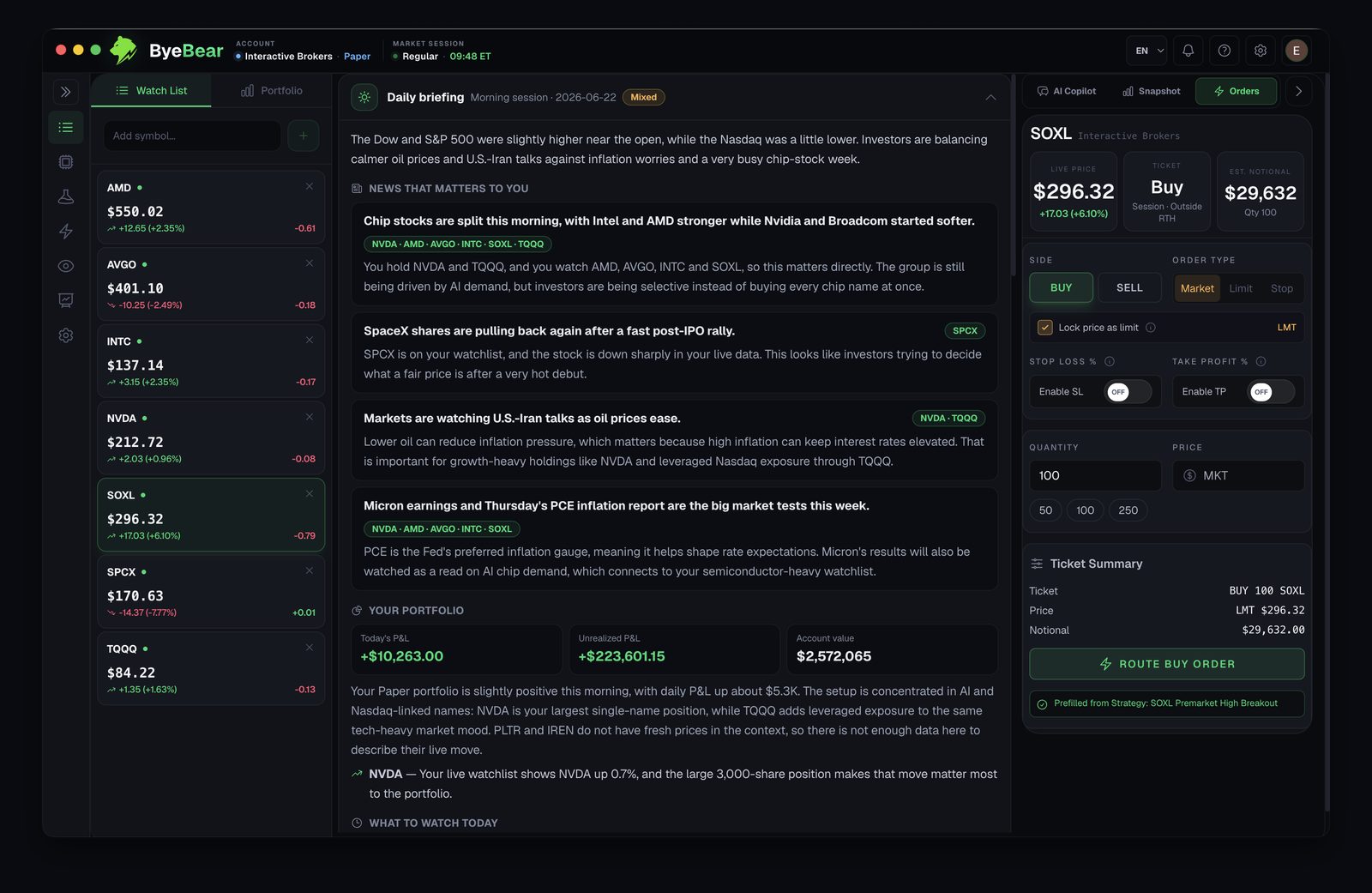
A daily briefing that already knows what you own

No generic headlines. ByeBear ties every story to your positions and watchlist, and explains in plain language why it matters to you specifically.

"You hold NVDA and TQQQ, and you watch AMD, AVGO, INTC and SOXL, so this matters directly."

ByeBear morning briefing: market news mapped to the user's positions and watchlist with plain-language explanations

Quick demo

See ByeBear in action

A short walkthrough of how ByeBear connects your AI tools, portfolio and watchlist so you can research trading ideas and make better decisions.

One workspace

Everything you need to research, build and trade

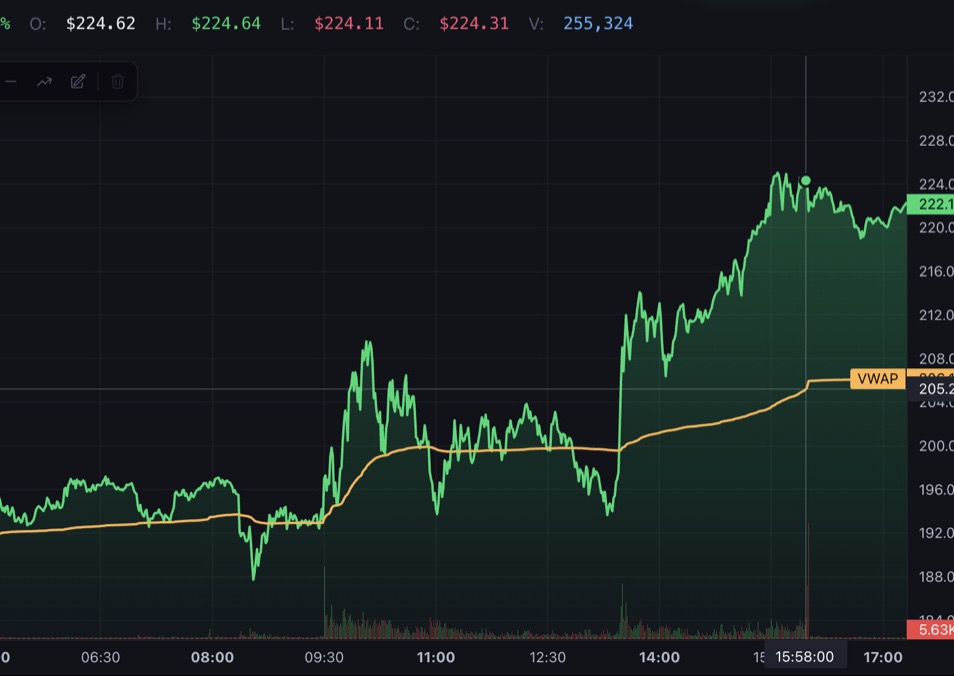
watchlist
Streaming intraday chart with VWAP overlay in ByeBear

Trading desk

Live watchlist, streaming charts and a daily market briefing.

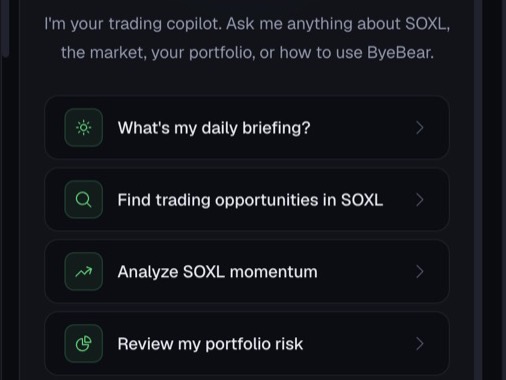
ai copilot
AI copilot suggestions: daily briefing, find trading opportunities, analyze momentum, review portfolio risk

AI copilot

Analyze opportunities, your positions and market behavior.

backtest
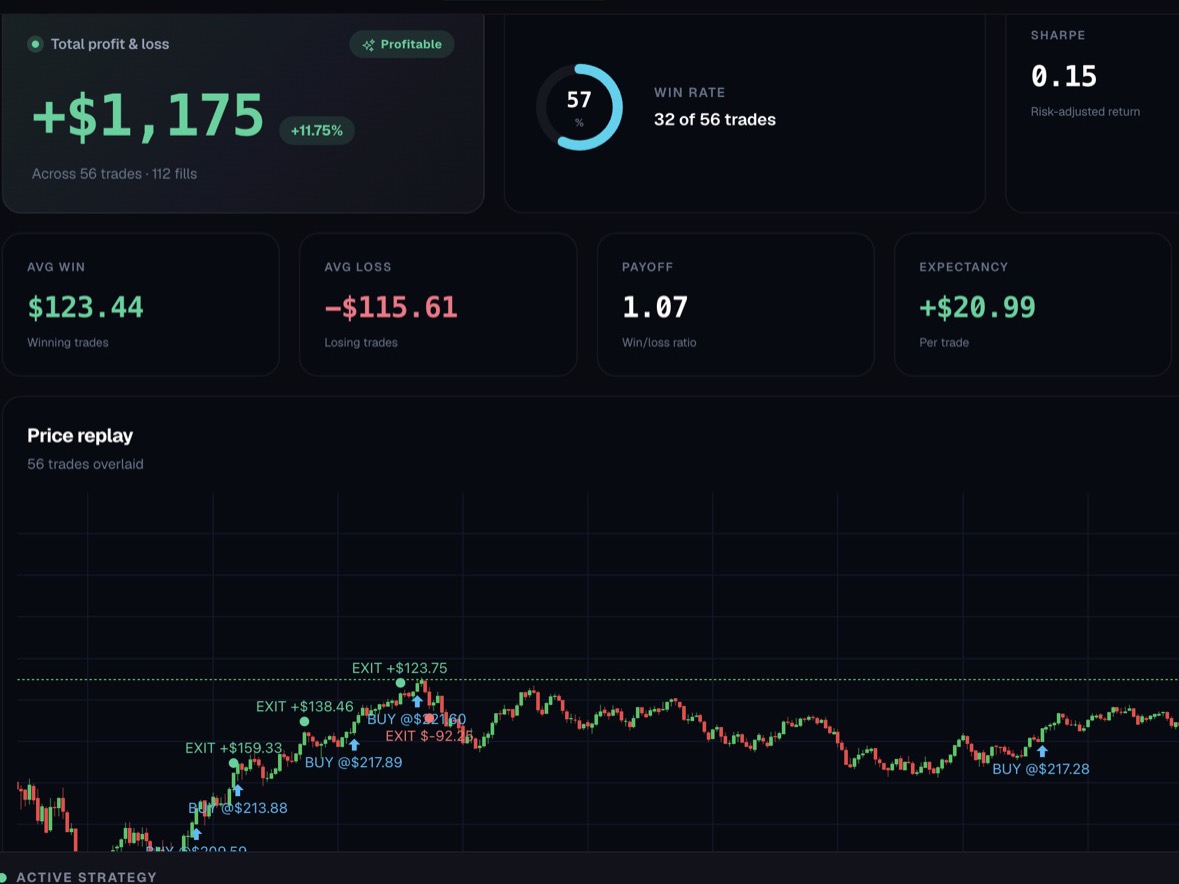
Backtest results with profit and loss, win rate, expectancy and every trade replayed on the chart

Backtest replay

Test every idea against history before it touches real money.

FAQ

Questions traders ask first

I can't code and I've never built a strategy. Is this for me?

Absolutely. You can use ByeBear without touching strategies at all — ask questions about the market and your portfolio in plain language, get a daily morning briefing and follow the stocks you care about. When you want to try a strategy, the AI builds it for you and you test it in simulation before any real money is involved.

Where are my broker credentials stored?

On your machine. You configure the broker connection inside the desktop app, and credentials are stored locally — they are never sent to our servers. Dominapp cannot see your broker password. Details in the Privacy Policy.

Can the AI trade without my approval?

No. Strategies only run while you keep them armed, inside risk limits you set — daily loss caps, max trade counts and force-flat times. You can disarm everything or disconnect the broker with one click.

Do I need a broker account to try it?

No. Simulation mode gives you the full desk against a simulated account — strategies, backtests, briefings and the copilot. Connect Interactive Brokers or Alpaca whenever you're ready.

How do I connect an Interactive Brokers account?

Through IB Gateway — a free official Interactive Brokers app that runs on your computer and acts as a secure bridge to your account. Here's how it works: download IB Gateway from the IBKR website (or click "Open IB Gateway" inside ByeBear), sign in there with your IBKR username and password — only there, never inside ByeBear — and ByeBear detects it automatically within a few seconds and connects through the local API. Important: in IB Gateway's settings, under API → Settings, make sure Read-Only API is unchecked — otherwise ByeBear can read data but cannot send orders. Your cash and positions stay with Interactive Brokers, and your credentials stay inside IB Gateway only. Tip: start with an IBKR paper account before connecting a live one.

Which AI subscription do I need?

Any one of Claude Code, Codex or Gemini. ByeBear works with the AI account you already pay for — there is no extra AI fee from us.

What does it cost?

There's a free plan — and there always will be. It includes the full workspace with daily usage limits, and if you need more you can upgrade inside the app to a paid plan with higher limits and premium features. Beta users get an extended free plan as a thank-you, and nothing converts silently into a charge.

Download

Download ByeBear beta

ByeBear is in open beta and shaped daily by the traders inside. Start in Simulation — connect a real broker only when you've seen it work.

macOS

Apple Silicon (M1 or later) · macOS 12+

v0.1.0-beta.8 Download .dmg

Signed & notarized with an Apple Developer ID.

Windows

Windows 10 / 11 · 64-bit

v0.1.0-beta.8 Download .exe

If SmartScreen warns, click More info → Run anyway.

Not ready to install? Email us and we'll let you know when ByeBear leaves beta. Updates download over HTTPS and are verified against SHA-512 checksums before they install.